XSLTv
Summary:
XSLTv is a grid viewing program for XMLTV data files. It requires only an xmltv data file and a modern browser. All processing is completely client-side and is done as-needed, resulting in a very simple installation.
No updates have been made to this software in years, and I've been told it no longer works in modern web browsers. No support is available. The files are archived here and if anyone gets it working again, I'll be happy to post an update.
Download:
See Changes
Old Versions
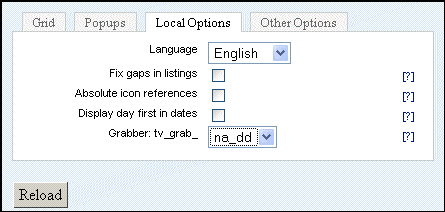
Notice: If you see weirdness, first try sorting your xml data with tv_sort --by-channel, which adds end-times if they're missing and makes sure there is no overlap of programs. Listings in some countries have "gaps," e.g. program one 1:00-1:45, program two 2:00-2:30. If you have this you should click the "fix gaps" option in XSLTv. (Checking this option if you don't need it slows processing down.)
Update: XSLTv is an officially approved Schedules Direct application, so you can use this non-profit grabber to feed XSLTv. (The previous North-American grabber which used labs.zap2it.com has been discontinued.)
Features:
- No complex installation - it could run off of your windows desktop. (In some browsers--see below)
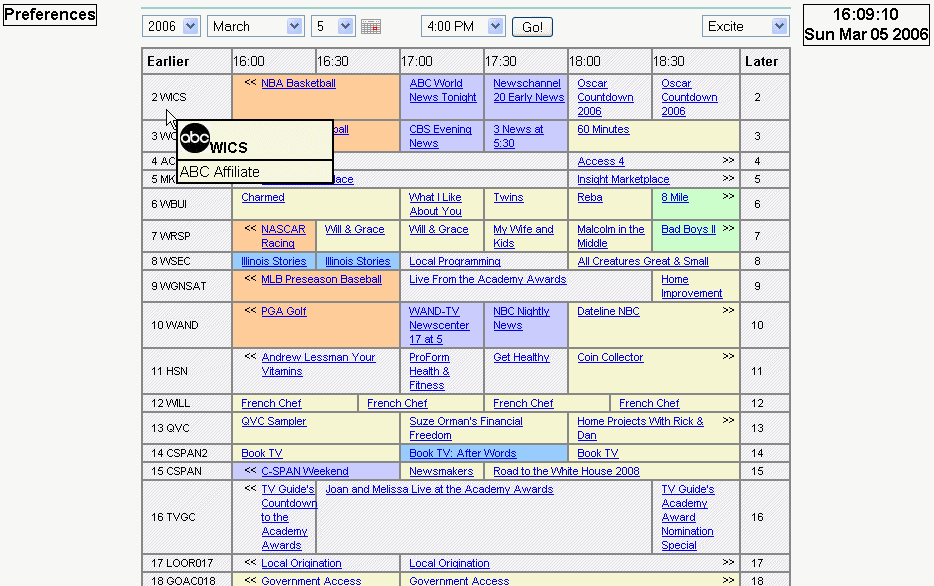
- Everything controlled by stylesheets - css files mimicking seven common web-based tv listings grids are included.
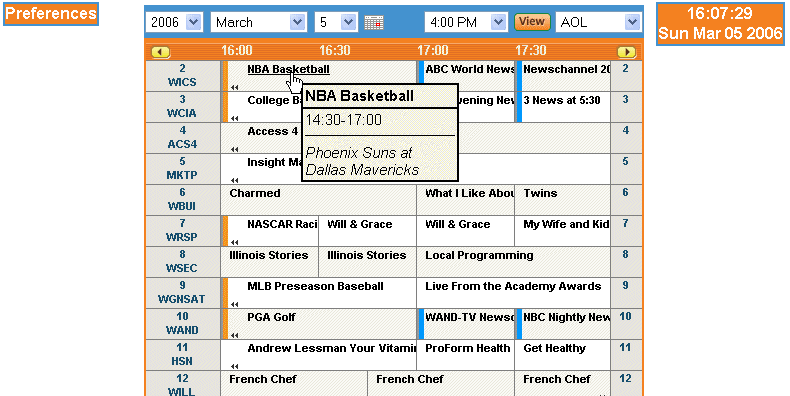
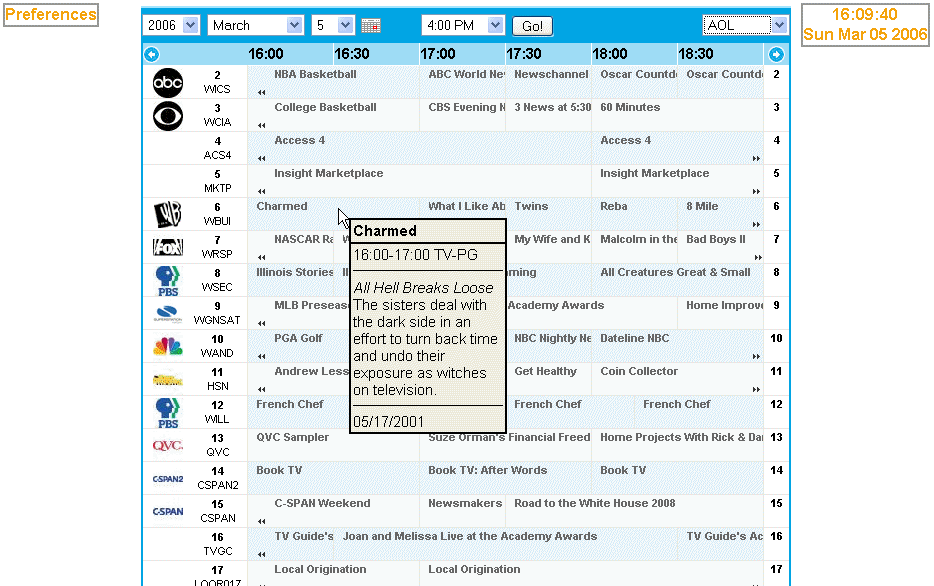
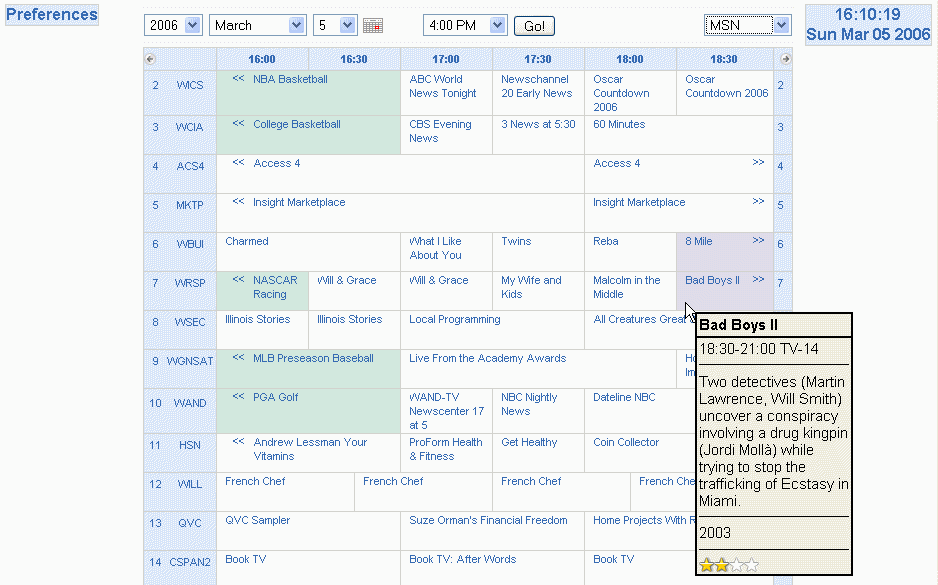
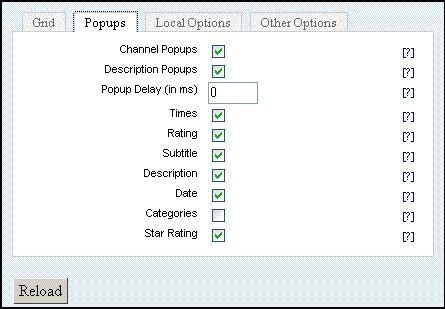
- Configurable DHTML popups show more information about shows (e.g. description, rating, original airdate or release year)
- Supports xmltv channel icons.
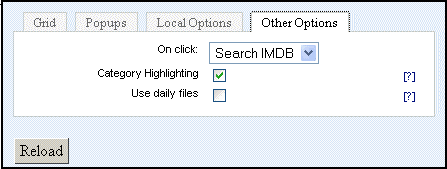
- Clicking on a program optionally searches IMDB for the title, or uses a url encoded in the xml file
- Supports dynamic loading of daily xml files, instead of a single master file.
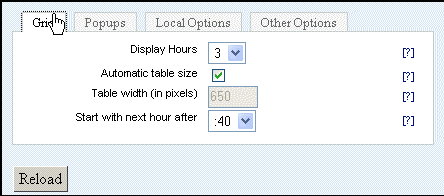
- Preferences allow changing grid width and number of columns.
- Will automatically refresh hourly to keep a current grid showing at all times.
- Tested to work in new versions of both Mozilla Firefox, Internet Explorer, Chrome and Chromium.
- On Android, mouseover won't work, but the grid loads (from a webserver) in Firefox Beta, Dolphin, Opera Mobile, and Chrome. That's every browser I checked, but it may work on others. (I don't have an iDevice.)
- Works for North American, French, Spanish, Swedish, and German listings.
- German, English, Spanish (by Raul), French, Italian, Dutch, Portuguese, Swedish, and Czech translations included.
- This software is free. (The data usually have non-free licenses).
Installation:
- Get XMLTV installed and working. (This is easy, especially in Windows!)
- Drop all the files into a directory on your webserver. Note: This software does not require a webserver; it works perfectly (in some browsers--see below) from a directory on a windows machine.
- Put a current xmltv file (which must be either titled
tv.xml, or with today's date YYYYMMDD.xml) in the same directory. You could use a series of cron jobs to automate this. Note: The smaller the xml file available to the program, the quicker this will run. Sorting seems to help with speed, but is not required.
- Load
tv.html in a webbrowser. Note: This file (and only this file) may be freely renamed (e.g. to index.html).
- Optionally, put your icons directory (which should be called "icons" and should contain the images referenced in the xml tree) in the web tree. In North America, obtain icons with
tv_grab_na_icons; subsequent tv_grab_na_dd calls will add the necessary references to your xml file. Note: Where I live, several icons are .gif files with a .jpg extension. Don't correct them. The links in the xml are to the .jpg extension, and the browser will display it anyhow.
Support/Comments
- Email me. I'm eric, at this domain name.
Problems:
- It's slow. A seven-day file can take forever. Download or split into one- or two-day files to speed things up. Clicking the earlier/later links makes a browser appear to freeze for a moment.
- It doesn't know anything about time zones. Put a time zone correction in your tv_grab_XX.conf file.
- Most translations are bad. Please email me if you can help.
- A bug in tv_split means that you can't exactly make "daily" xml files that divide at midnight. Where I live, they divide at 8:00 PM.
- Not all browsers support loading xml from a local (file://) file. This isn't a problem on a webserver, but may be a problem when running "from the desktop" as advertised above.
- Firefox- works.
- Opera- works if setting is changed. go to opera:config, search for "xmlhttp" and check the box for "Allow File XMLHttpRequest". THIS IS A SECURITY RISK.
- Chromium- works if executable is loaded with "--disable-web-security" command-line switch. THIS IS A SECURITY RISK but you could set up a shortcut just for XSLTv.
Update 2020: To use with a local file, add the following command-line switches, modified for your system to the shortcut you use for XSLTv: --user-data-dir=C:\Path\to\xsltvfolder --allow-file-access-from-files file:///C:/Path/to/tv.html
- Internet Explorer- works; you'll have to click "allow blocked content."
- Safari- untested but should work
- (Konqueror is not supported by XSLTv)
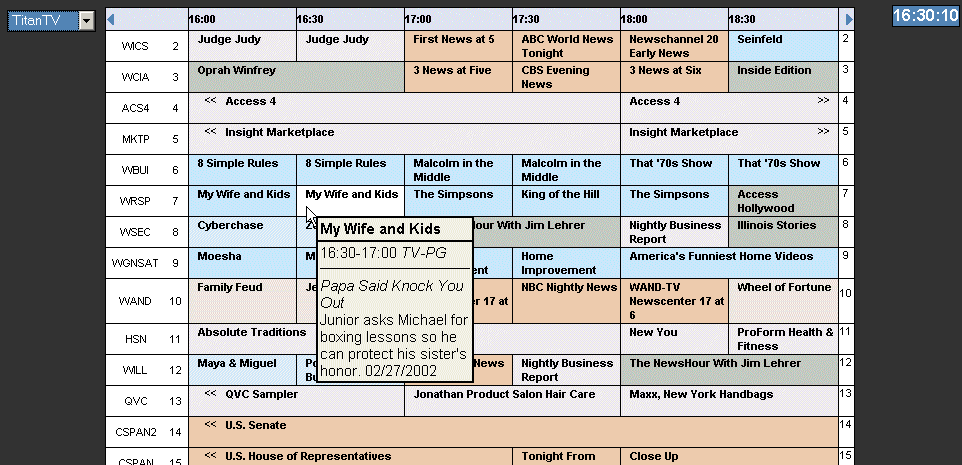
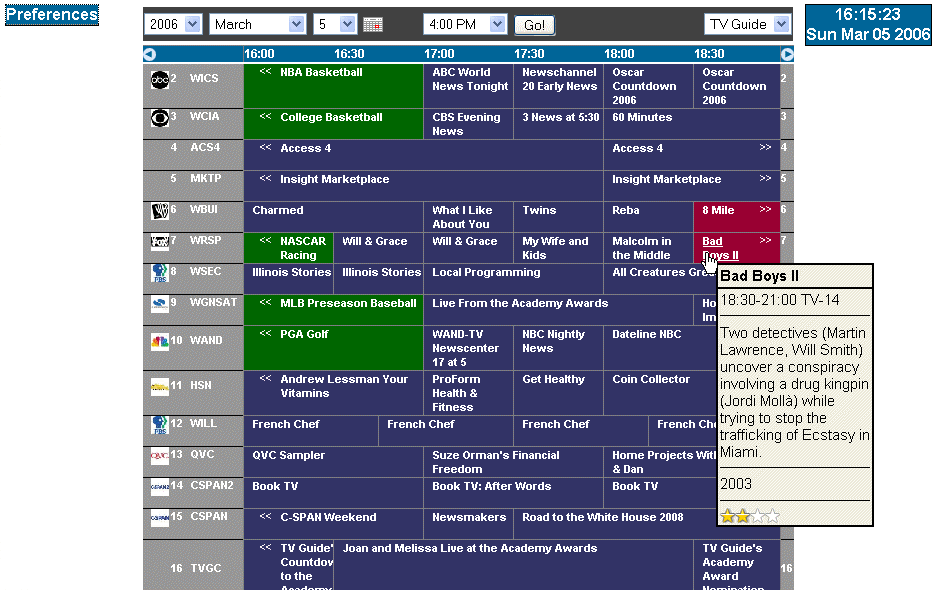
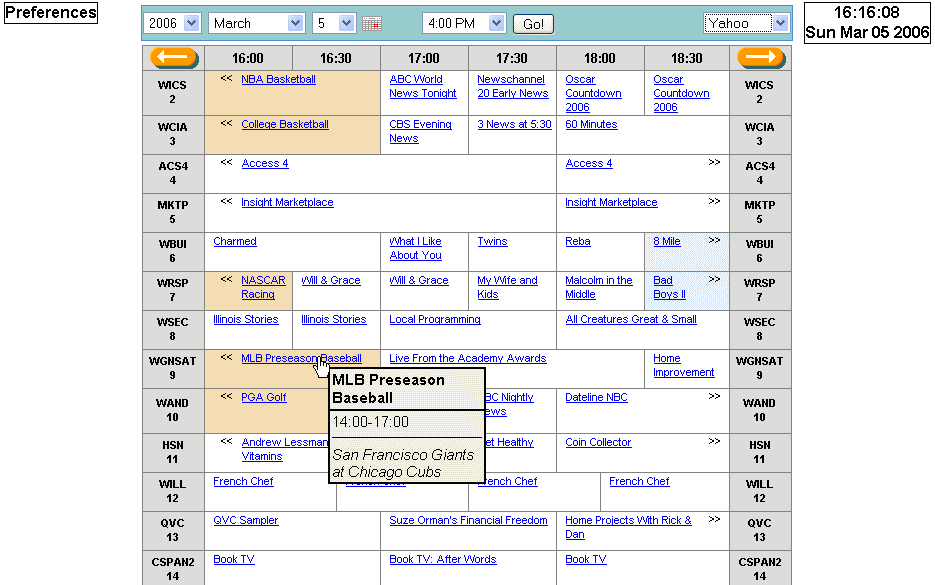
Screenshots (updated for version 0.9):
| AOL theme | Excite theme | MeeVee theme | MSN theme | TitanTV theme | TVGuide theme | Yahoo theme |
|---|
 |
 |
 |
 |
 |
 |
 |
Screenshots of the preferences screen: Page One, Page Two, Page Three, Page Four
Similar Projects
Credits
- DynamicDrive provided the Show Hint script used in the preferences screen.
- http://www.shiningstar.net provided the routine which checks that input is numeric.
- BoxOver is the script used to provide the popups descriptions.
- SimplyTheBest.net provided the script for the real-time clock.
- Ivan Georgiev wrote the routine which shows and hides divs.
- FastDatePicker is the script used for the popup calendar.
- The code to find the icon filename came from here.
- The code to escape urls properly came from here.
- The for-loop which is used for star-ratings and other things is from here.
Copyright (c) 2006-2013 Eric Lofgren eric@ericandchar.com